- Invoices are under Invoices in the customer portal at billing.complianceforge.com/portal/complianceforge, split into Outstanding Invoices and All Invoices.
- Pay Now processes credit cards inside the portal. Bank transfer instructions are printed on the invoice itself.
- Terms are Due on Receipt unless your invoice states otherwise.
- A card order produces two records: an invoice marked as paid, and a sales receipt.
- ComplianceForge will never email you to say our banking details have changed. Verify any such message by phone at +1-307-241-8740.
Where To Find Your Invoices
Sign in to the customer portal at billing.complianceforge.com/portal/complianceforge and select Invoices from the menu on the left. Two tabs are available.
Outstanding Invoices shows anything with a balance still due. If your account is settled, this tab reads "Looks like there are no transactions that require your attention." All Invoices shows every invoice on your account, paid and unpaid, including orders placed before the July 2026 migration.
Each row lists the invoice number, reference number, subscription reference number, invoice date, invoice amount and balance due. Click the invoice number to open the full document, where you will find the line items, SKUs, subtotal, tax and balance due. From there you can download a PDF or leave a comment that comes directly to our team.

How Do I Pay By Credit Card?
Credit card is the fastest way to settle an open invoice, and the entire process happens inside the portal.
- Sign in at billing.complianceforge.com/portal/complianceforge.
- Select Invoices, then the Outstanding Invoices tab.
- Click Pay Now, either on the invoice row or at the top of the open invoice.
- Enter the card number, expiration month and year, and CVV.
- Enter the cardholder's first and last name.
- Enter the billing address exactly as it appears on the card statement, including country, state, city and ZIP code.
- Click Make Payment.
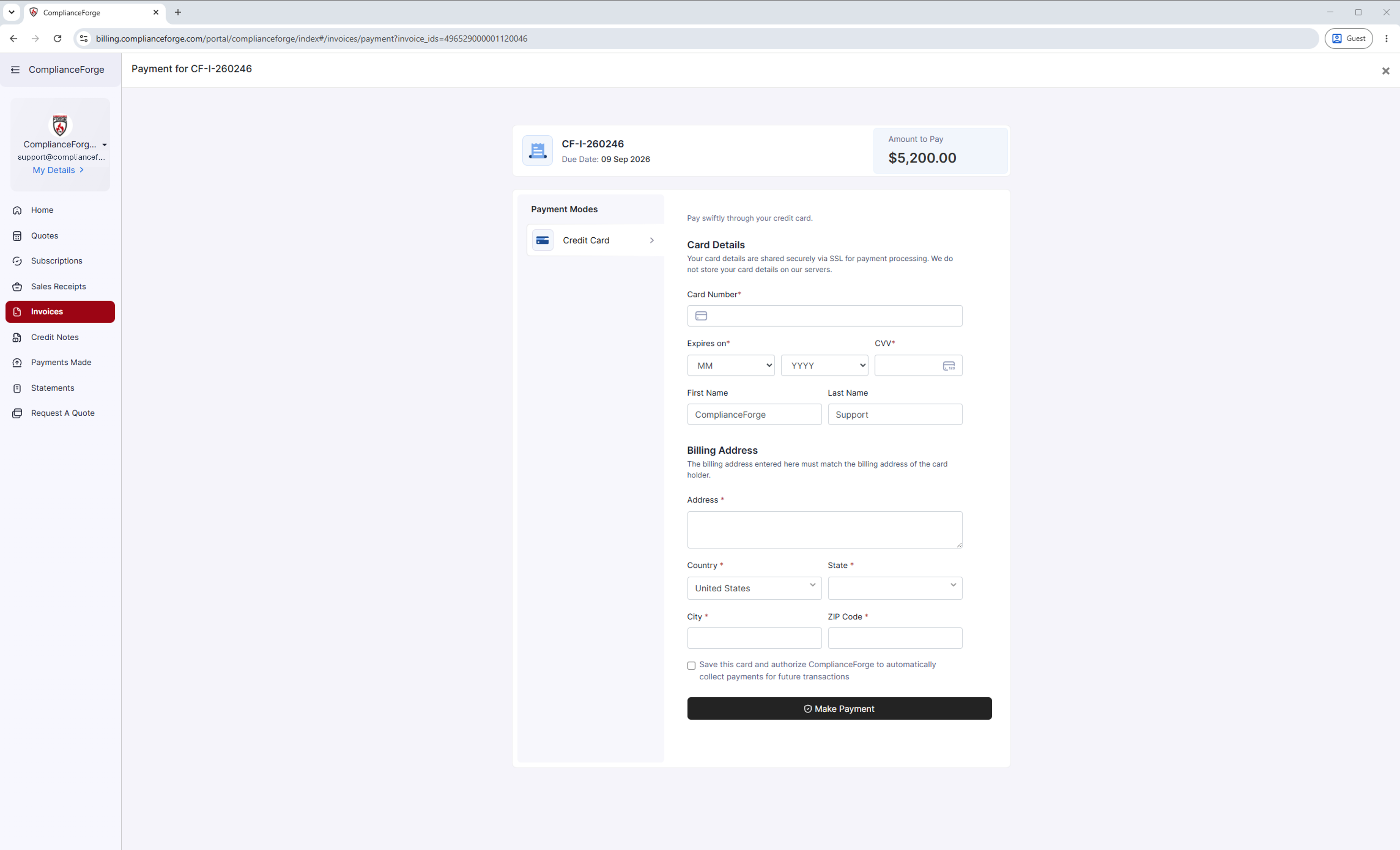
Card details are transmitted securely over SSL for processing. They are not stored on the portal's servers.
The payment screen also offers an optional checkbox: "Save this card and authorize ComplianceForge to automatically collect payments for future transactions." Leave it unchecked if you would rather enter card details each time. Any card you have saved appears under My Details, in the Payment Methods section.
How Do I Pay By Bank Transfer?
If your organization pays by bank transfer rather than by card, the remittance instructions you need are printed on the invoice itself. Open the invoice from the Invoices tab and download the PDF. The payment instructions section contains everything your accounts payable team requires.
Terms on ComplianceForge invoices are Due on Receipt unless your invoice states otherwise.
ComplianceForge will never email you to say our banking details have changed. Business email compromise, in which an attacker impersonates a vendor and sends revised wire instructions, is one of the most common ways organizations lose money. If you receive any message claiming our remittance information has changed, do not act on it. Call us at +1-307-241-8740 and confirm before sending funds.
What Happens After I Pay?
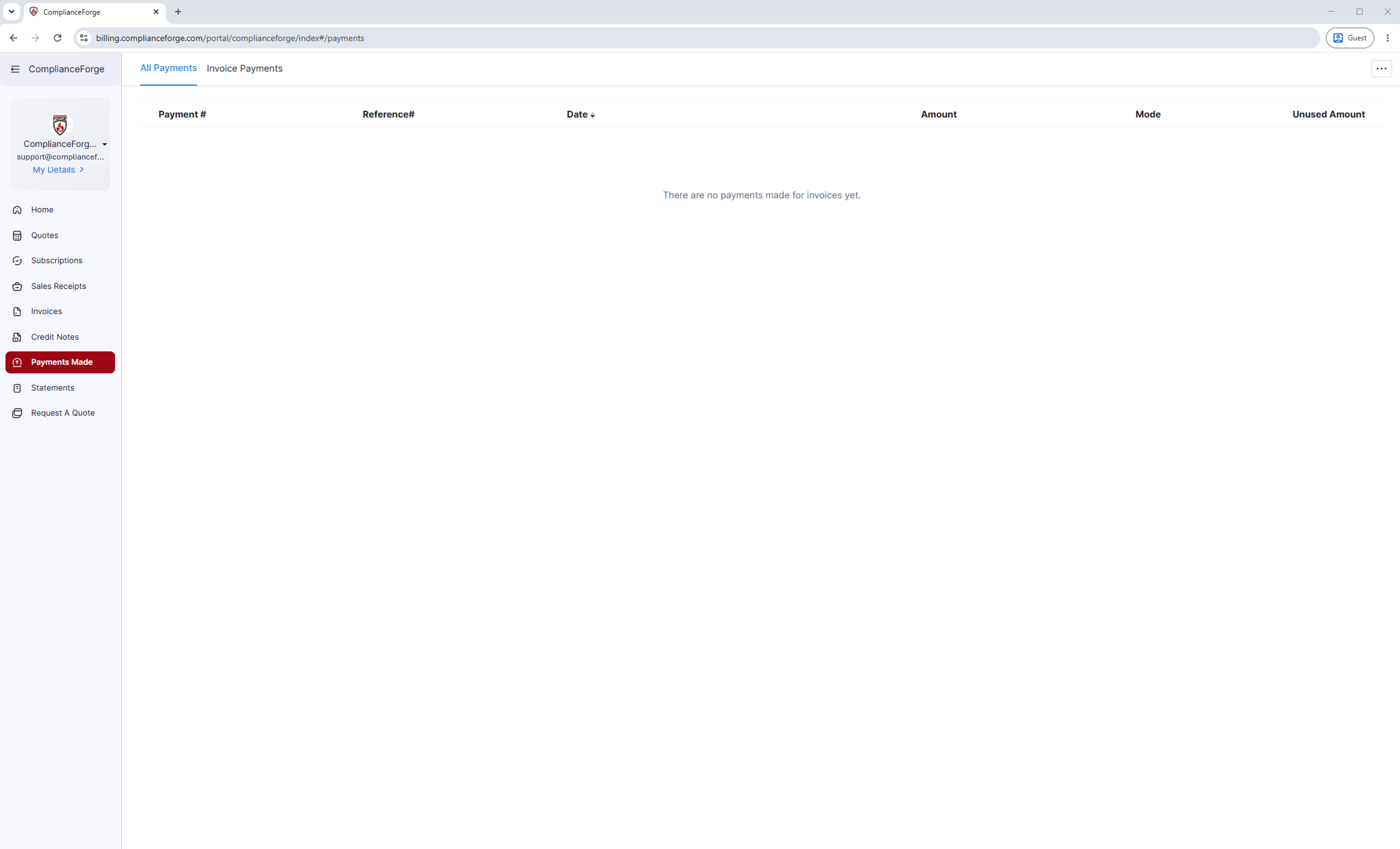
Once your payment is processed, the invoice is marked as paid and several records update on their own. You will be able to see the individual payment under the Payments Made tab of the portal, which you can then download and provide to your finance team upon request.
When Will I Receive My Documentation?
After paying your invoice, you will receive your documentation will be processed and released within 1-2 business days. If you do not receive your documentation by that point, please contact us directly and we will have it processed and emailed in a timely manner.
Contact ComplianceForge
If you have any questions regarding ComplianceForge's products or are curious about any of the content on our site, please feel free to contact us, and we are happy to help! If you want to add account administrators for product notifications, you can manage account contacts here.
You can contact us by pressing the button below to direct you to our contact form, or you can contact us at:
- Phone: +1-307-241-8740
- Email: support@complianceforge.com
Frequently Asked Questions (FAQs)
Here are answers to common questions about viewing and paying invoices: