- Documentation is emailed as a secure Box link. It is not stored in the customer portal.
- Links expire two weeks after they are issued. The files you download are yours permanently, so save them somewhere durable.
- To have a link re-issued, email support@complianceforge.com with your order number and, where relevant, the purchaser's name and email address.
- Re-sends are verified against the account and then issued, usually the same business day.
- You receive the version you purchased, not the latest release.
- Orders paid by invoice or purchase order are not released until payment clears.
- If your documentation is more than roughly two years old, contact us before relying on it.
How Is My Documentation Delivered?
ComplianceForge documentation is delivered by email rather than by automated instant download.
After your order is placed and payment has cleared, our team processes the order and sends you an email containing a secure Box link that will expire after fourteen (14) days, which you download your files from.
Two things follow from this and both are worth knowing before you order. First, delivery is not instant because orders are processed by manually rather than released automatically at checkout. Secondly, if you paid by invoice or purchase order rather than by card, your documentation is witheld until payment clears.
After you acces your link, it is recommended to save your files somewhere durable. The download link is temporary and expires after fourteen (14) days, so if you do not download them by that point, you will need to contact us for a new link. The documents themselves are yours permanently, so storing them in your own document repository avoids needing a re-send later.
Why Isn't My Documentation In The Portal?
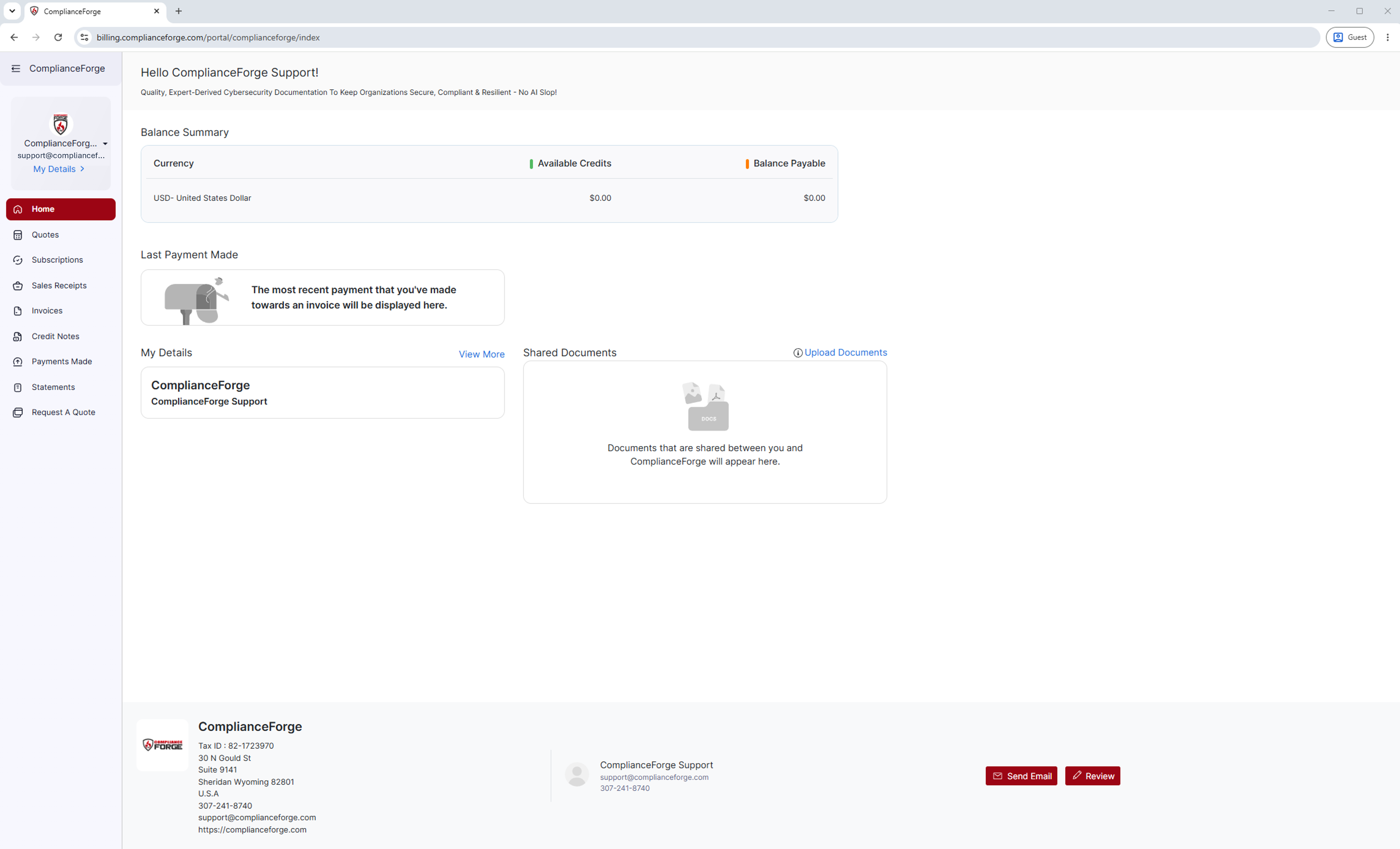
The customer portal is a billing and account system. It holds invoices, receipts, quotes, credit notes and statements, which together form the financial record of your relationship with us.
It also enforces a 10 MB per-file limit on shared documents, with a maximum of 10 files, and most ComplianceForge documentation packages are considerably larger than that and include more files. Delivering through Box rather than the portal means you receive the complete package, without files being split or compressed to fit a limit that has nothing to do with the product.
Because of this, if you sign in expecting to find your policies and standards under Shared Documents and the panel is empty, that is the expected behavior. Your documentation does not live there.
What If My Download Link Has Expired?
Download links expire two weeks after they are issued. This is intentional, since a permanently live link to licensed documentation is a security risk to you as much as to us.
Getting a new one is straightforward. Email support@complianceforge.com and include the following.
Once we have verified the request against the account, we will re-issue your link, usually the same business day.
We verify before re-sending because a download link grants access to licensed documentation your organization paid for. That verification step is what prevents somebody outside your organization from requesting it.
Which Version Will I Receive?
You receive the version you purchased, not the latest release. Because of this, if you purchased the Risk Management Program in 2024 and received the 2024.3 version, then we will re-send the 2024.3 version to you. We do not substitute the latest release, because a later version is not what you paid for. If you would like the latest release, please see the the Updates page for more information, since upgrading to the current version is a separate purchase rather than a re-send. Contact us and we will walk you through the options.
What If My Documentation Is More Than Two Years Old?
Cybersecurity documentation ages. Frameworks are revised, regulations change, and control sets are restructured. The move of NIST SP 800-171 to Revision 3 is a good example of a change significant enough to affect the documentation built around it.
If you purchased more than roughly two years ago, the documentation you hold may no longer reflect current requirements. We will still re-send the version you bought, but we would rather have a conversation with you first than have you take an outdated document into an assessment.
Contact support@complianceforge.com or call +1-307-241-8740 and we will tell you what has changed and whether it matters in your situation.
Contact ComplianceForge
If you have any questions regarding ComplianceForge's products or are curious about any of the content on our site, please feel free to contact us, and we are happy to help! If you want to add account administrators for product notifications, you can manage account contacts here.
You can contact us by pressing the button below to direct you to our contact form, or you can contact us at:
- Phone: +1-307-241-8740
- Email: support@complianceforge.com
Frequently-Asked Questions
Here are answers to common questions about downloading your purchased documentation: