- Request a quote from the Quote Request Form on our website, or from Request A Quote inside the portal.
- Quotes are returned within one business day.
- Review, download, accept or decline under Quotes in the portal. Quote numbers use the CF-Q- format.
- If you need a change, leave a comment on the quote rather than starting a new request.
- Accepting generates an invoice almost immediately, and you receive it.
- Checkout offers credit card or invoice and purchase order. The purchase order route creates an unpaid invoice and holds your documentation until payment clears.
- Terms are Due on Receipt, and we do not require a copy of your purchase order document.
- W-9s are available on request from support@complianceforge.com.
When Should I Request A Quote?
Most ComplianceForge products can be purchased directly from the website. A formal quote is worth requesting when you need pricing for multiple products, a custom bundle, volume licensing, or enterprise procurement.
It is also the right starting point when your organization simply requires a quote document before it can raise a purchase order, addressed to your legal entity with your billing address on it.
How Do I Request A Quote?
There are two routes and they reach the same place.
From the website, complete the Quote Request Form. You will be asked for your name, work email, phone number if you wish to provide one, your formal company name, and the billing address the quote should be addressed to.
From inside the portal, sign in at billing.complianceforge.com/portal/complianceforge and select Request A Quote from the menu.

Give us your formal company name exactly as it should appear on the quote and on the resulting invoice. Getting this right at the outset avoids a re-issue later, which is the single most common reason a quote has to be redone. Our sales team responds to the email address you provide within one business day.
If your formal company name differs from what we have on file, then it will result in a duplicate company account being created. In such cases, you will need to contact us to resolve this duplicate issue.
How Do I Review My Quote?
Once we have issued your quote, sign in at billing.complianceforge.com/portal/complianceforge and select Quotes.
Open Quotes shows anything awaiting your decision. If nothing is pending, the tab reads "There are no quotes which await your approval." All Quotes shows your full quote history.
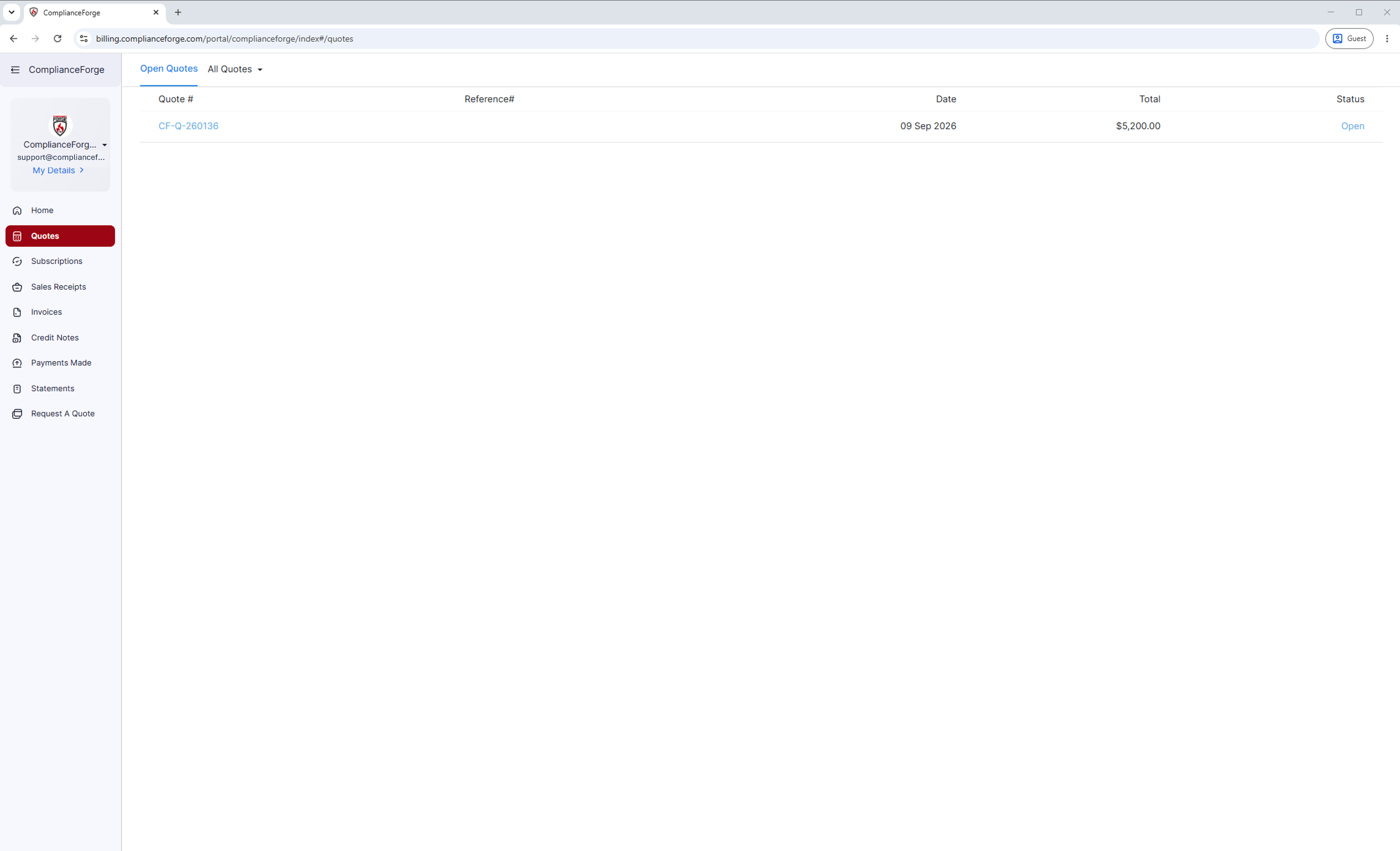
Each row lists the quote number, reference number, date, total and status. Quote numbers are formatted CF-Q- followed by six digits.
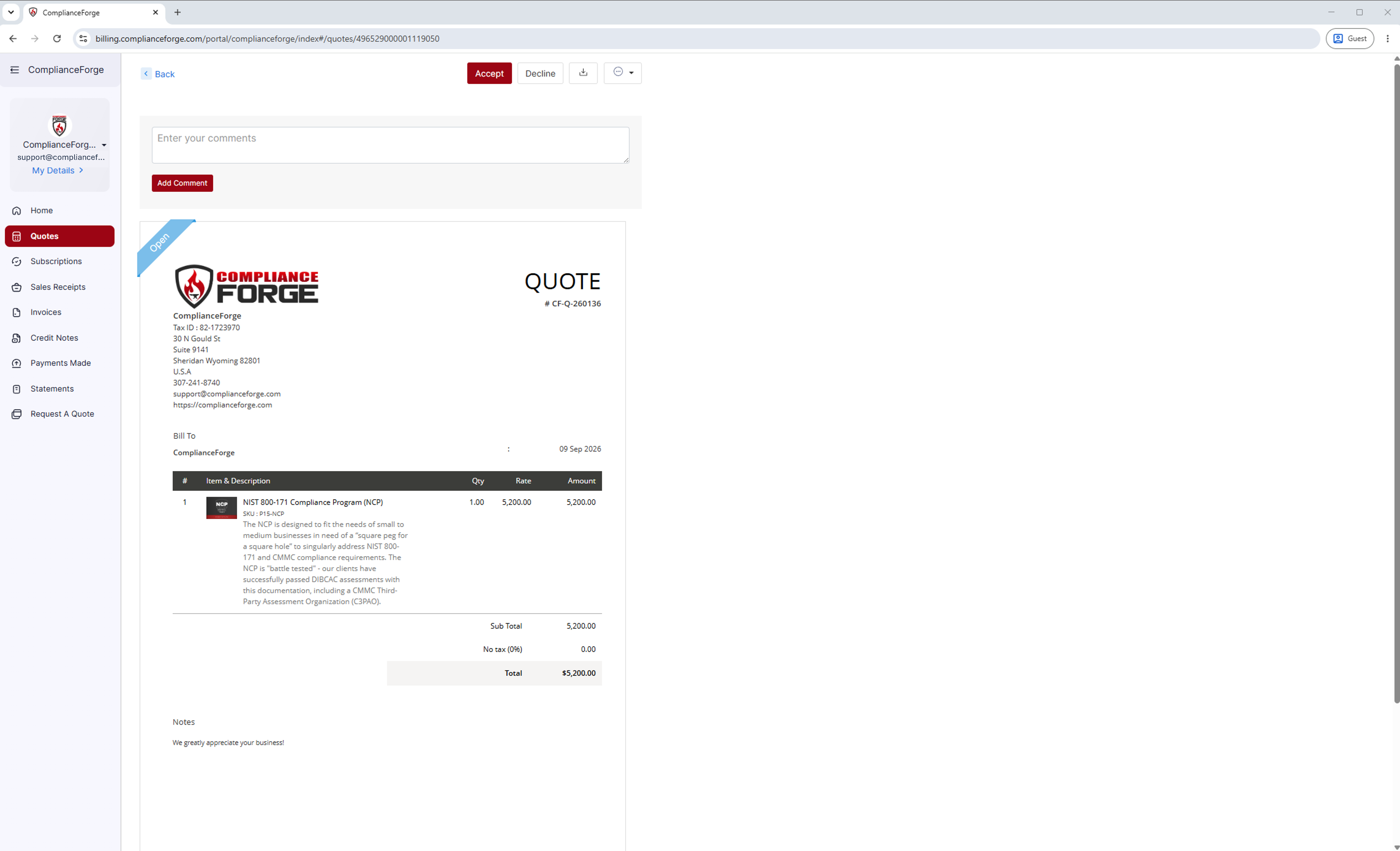
Click the quote number to open it. You will see the full document, including line items with SKUs and descriptions, subtotal, tax and total, along with a download button and a comment box. If you need something changed before you accept, leave a comment on the quote and it comes straight to our team. You do not need to start a new request.
How Do I Accept Or Decline A Quote?
Open the quote and use the Accept or Decline buttons at the top of the page.
Your documentation is delivered after payment clears, not at the point you accept the quote. How Do I View & Pay My Invoices? covers both payment routes.
Can I Buy Against A Purchase Order?
Yes. If your organization cannot pay by card, you can be invoiced instead. At checkout on our website you have two options: pay by credit card, or pay by invoice and purchase order.
Choosing the invoice route does the following. An unpaid invoice is created on your account and appears under Outstanding Invoices in the portal. Terms are Due on Receipt. And we do not require you to send us a purchase order document, so if your internal process requires you to raise one you are welcome to, but we do not need a copy to proceed.
When you buy against a purchase order, your documentation is held until payment clears. This is the part most likely to catch a procurement team out, particularly when a deadline is driving the purchase. If timing matters, factor your organization's payment cycle into the schedule, or pay by card instead.
If your finance team needs the invoice addressed a particular way, or needs a quote before they will raise a purchase order, request the quote first.
How Do I Request A W-9 Or Other Vendor Documents?
We supply a W-9 on request. Email support@complianceforge.com and we will send it to you.
Several of the details vendor onboarding forms ask for are already published. Our address, phone number, CAGE Code, DUNS number and VOSB status appear in the footer of every page on this website, and our Tax ID appears on every invoice and account statement.
If your organization requires a document not listed here, contact support@complianceforge.com or call +1-307-241-8740 and we will tell you what we can provide.
Contact ComplianceForge
If you have any questions regarding ComplianceForge's products or are curious about any of the content on our site, please feel free to contact us, and we are happy to help! If you want to add account administrators for product notifications, you can manage account contacts here.
You can contact us by pressing the button below to direct you to our contact form, or you can contact us at:
- Phone: +1-307-241-8740
- Email: support@complianceforge.com
Frequently Asked Questions (FAQs)
Here are answers to common questions about requesting and accepting a quote: