Which Option Applies To You?
Access is tied to the email address used to make the purchase. A different address will not find your account. If a colleague ordered on your behalf, ask them to sign in, or contact us and we will add you to the account. If you have any issues signing in to your account, please let us know and we are happy to help!
Which One Am I?
Sign In
This link will redirect you to the sign-in page to access the ComplianceForge portal, where you can view order history, invoices, quotes, and credit notes.
This is for individuals who have purchased from ComplianceForge after July 1, 2026 or have already signed into the portal before.
Set Up Access
This link will redirect you to the sign-up page to access the ComplianceForge portal, where you can view order history, invoices, quotes, and credit notes.
This is for individuals who have purchased from ComplianceForge before July 1, 2026 and have not signed into the portal before.
What Can You Do Once You Are In?
In addition to being able to update your own personal details (e.g., contact information), when you setup access to your portal, you will have access to the following features:
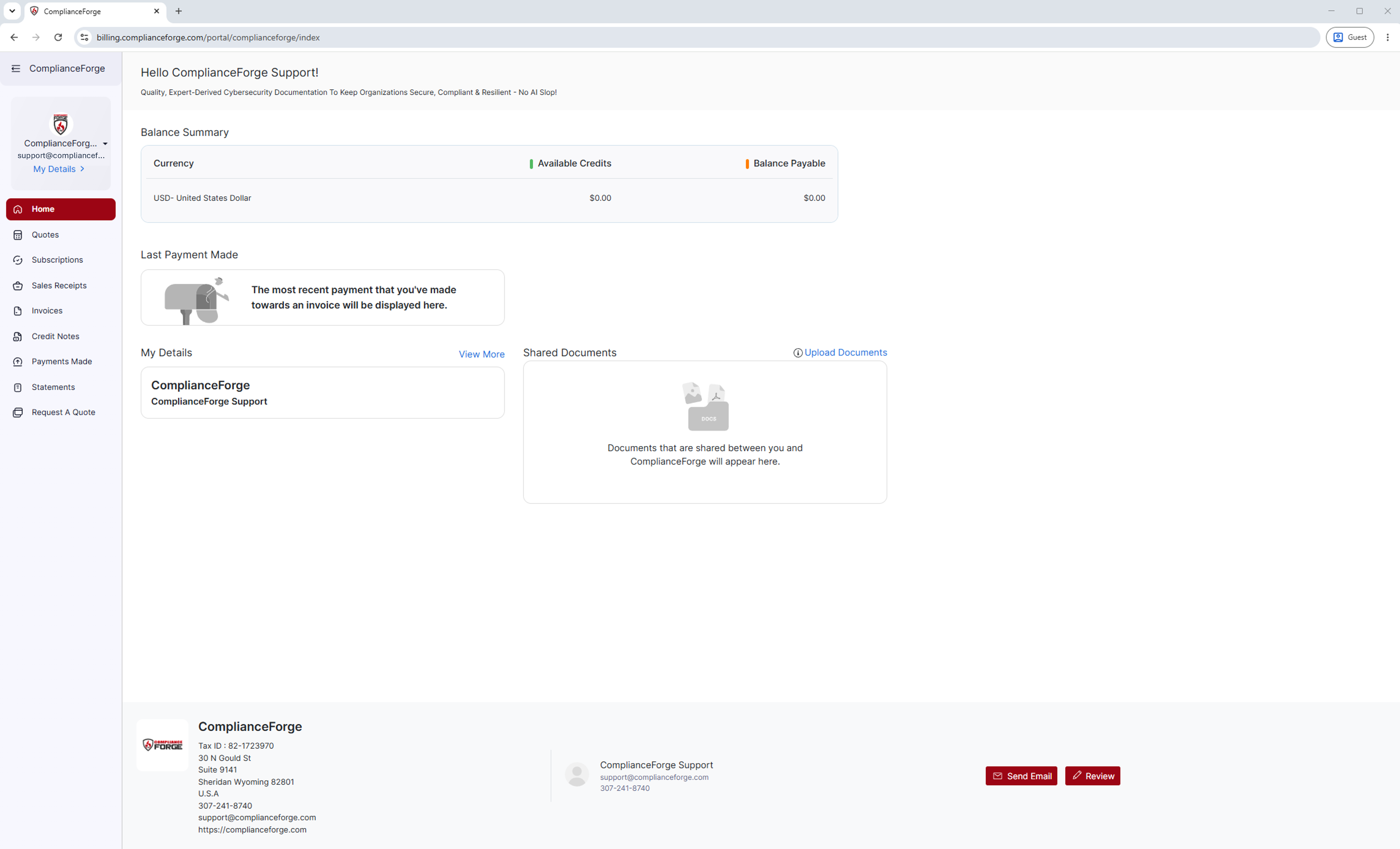
Home
You will be able to view a your balance summary, your most recent payment, and your account details at a glance.
Quotes
You will be able to request new quotes, review and accept open quotes, and view any historical quotes you make.
Subscriptions
If you purchased a subscription, you will be able to see live subscriptions for the associated product here and know exactly when they expire.
Sales Receipts
You will be able to view all sales receipts made from your account and download them whenever your finance team asks for either.
Invoices
You will be able to view every new or historical invoice on your account, check if they are paid or closed, and download whenever your finance team asks for one.
Credit Notes
You will be able to view any credit notes associated with your account and download whenever your finance team asks for one.
Payments Made
You will be able to view a full payment history made from your account, which you can download themwhenever your finance team asks for payment information.
Statements
You will be able to a full statement of accounts, which you can filter by date and download as a PDF.
Request A Quote
You will be able to directly request a quote from the portal without needing to leave.
My Details
You will be able to update your personal details and view who else is listed as additional contacts and are associated with your company's account.
Contact ComplianceForge
If you have any questions regarding ComplianceForge's products or are curious about any of the content on our site, please feel free to contact us, and we are happy to help! If you want to add account administrators for product notifications, you can manage account contacts here.
You can contact us by pressing the button below to direct you to our contact form, or you can contact us at:
- Phone: +1-307-241-8740
- Email: support@complianceforge.com